

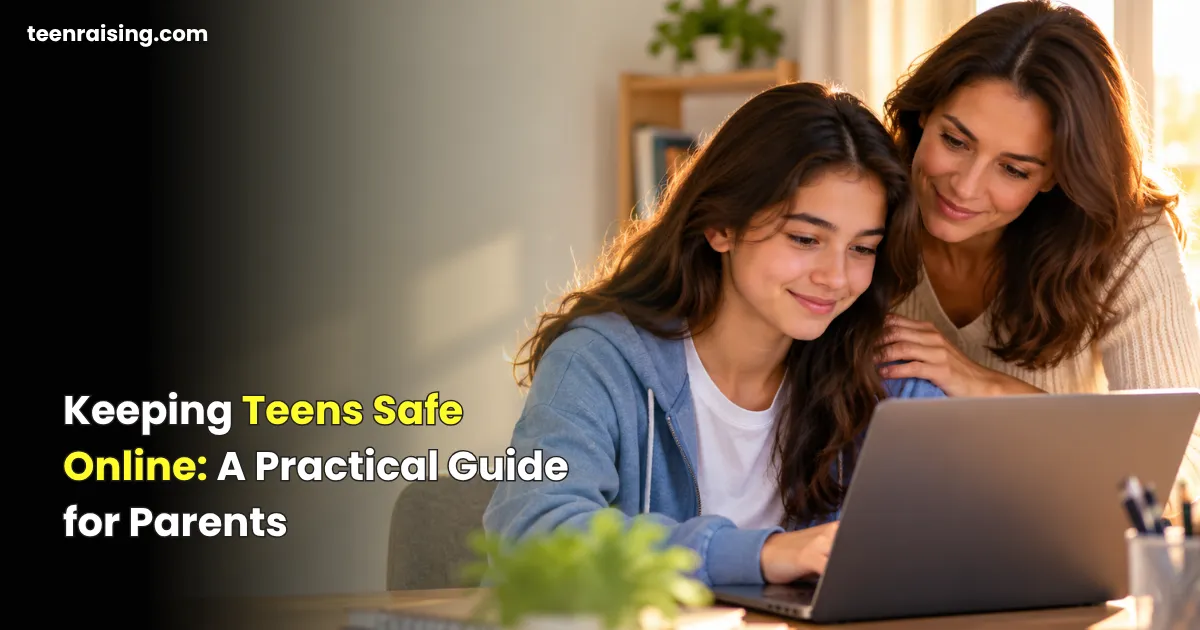

The internet is a huge part of teenage life. Teens use it to talk with friends, complete schoolwork, play games, watch videos, explore their interests, join communities, and increasingly use artificial intelligence (AI) tools.
These online experiences can be positive. They can help teenagers learn, maintain friendships, express creativity, and find communities where they feel understood. But being online also exposes teens to risks that parents didn’t necessarily face growing up—from cyberbullying and scams to fake profiles, privacy problems, deepfakes, and inappropriate content.
That’s why keeping teens safe online isn’t simply about limiting screen time or installing parental controls.
The bigger goal is helping your teen develop the judgment and digital skills they need to recognize risks, make safer choices, and know when to ask for help.
If you’re wondering how to keep teens safe online, start with three things: open communication, age-appropriate boundaries, and practical digital skills. Good internet safety for teens should prepare young people to handle real situations rather than simply telling them what they can’t do.
The American Psychological Association (APA) recommends a combination of appropriate monitoring, limits, and ongoing conversations about social media rather than relying on one strategy alone.
Why Online Safety Matters for Teenagers
For today’s teenagers, the line between “online” and “real life” is increasingly blurred.
A conversation that begins at school might continue through a group chat that evening. A gaming friend might become someone your teen talks to every day. Social media can influence how teenagers view friendships, appearance, popularity, current events, and themselves.
And online activity goes far beyond social media.
Teens may regularly use:
- Social media and short-form video platforms
- Private and group messaging
- Multiplayer games and gaming chats
- AI chatbots and generative AI tools
- Online forums and communities
- Video and livestreaming platforms
- Educational websites and school platforms
- Online stores and payment services
Each creates different opportunities—and different risks.
That’s why keeping teens safe online requires more than focusing on how many hours they spend looking at a screen. Parents also need to understand what teenagers are doing online, who they interact with, what information they share, and what content they encounter.
Good online safety for teenagers should include privacy, cybersecurity, social media habits, digital literacy, and knowing what to do when something goes wrong.
For parents looking for practical online safety tips for parents, the most important starting point is to make online safety an ongoing conversation rather than a one-time lecture.
The Biggest Online Risks for Teens
Understanding the risks makes it easier to practice teen internet safety without making teenagers afraid of technology.
The goal of keeping teens safe online isn’t to eliminate every possible risk. Instead, parents can help teens recognize warning signs and develop the confidence to respond appropriately.
Privacy and Personal Information
Teenagers can reveal far more information online than they realize.
A photo might show their school uniform. A birthday post can reveal their date of birth. A sports-team photo might identify where they spend their afternoons. Location sharing can show where they are in real time.
Even seemingly harmless information can become sensitive when several pieces are combined.
Teaching online privacy for teens means explaining that personal information includes much more than a home address.
Teach your teen to be cautious about publicly sharing information such as:
- Home address
- Phone number
- School name and schedule
- Real-time location
- Personal email address
- Passwords or verification codes
- Financial information
- Private family information
Privacy also involves what apps collect, not only what teenagers intentionally post. Encourage your teen to review app permissions and think carefully before allowing access to their location, contacts, camera, microphone, or photos.
One of the most practical internet safety tips for teenagers is simple: before sharing something online, ask whether it needs to be public at all.
Strangers, Fake Profiles and Online Grooming
Someone who claims to be 15 online isn’t necessarily 15.
People can use stolen photographs, fake profiles, hacked accounts, or fabricated identities to build trust with young people.
A concerning interaction might not begin with an obviously inappropriate message. Someone may start by talking about gaming, music, sports, school, or another shared interest before gradually asking more personal questions.
The FBI warns that offenders targeting minors can pretend to be around the victim’s age and use social media, games, messaging services, livestreaming, and other platforms to make contact.
For effective cyber safety for teens, teach young people to recognize changes in an online relationship that make them uncomfortable.
Teach teens to become cautious when someone they’ve never met:
- Quickly becomes unusually friendly or romantic
- Asks them to keep conversations secret
- Requests personal information
- Wants to move conversations to another platform
- Repeatedly asks for photos or videos
- Pressures them to turn on their camera
- Offers money, gifts, or gaming rewards
- Tries to isolate them from trusted adults
- Wants to meet offline
A teen should always feel able to tell a parent or another trusted adult about an uncomfortable interaction without fearing immediate punishment.
Cyberbullying and Online Harassment
Cyberbullying can include insulting messages, rumors, embarrassing photos, exclusion from online groups, impersonation, harassment, threats, or repeated unwanted contact.
Unlike traditional bullying, online harassment can follow a teenager home and continue at almost any hour.
Parents should encourage teens not to retaliate. Instead, save evidence, block the account when appropriate, use the platform’s reporting tools, and tell a trusted adult.
These are important online safety tips for parents because parents can help teens respond calmly rather than escalating the situation.
If threats involve immediate danger or criminal behavior, contact the appropriate authorities.
Harmful or Inappropriate Content
Even when teenagers aren’t actively searching for harmful material, recommendation algorithms, shared posts, group chats, ads, or links can expose them to it.
That might include:
- Graphic violence
- Sexual content
- Hate speech
- Dangerous challenges
- Content encouraging harmful behavior
- Extreme dieting or appearance-focused content
- Misleading health information
Parents can’t realistically filter every piece of content a teenager will encounter.
That’s why conversations matter.
Instead of only asking, “What apps are you using?” occasionally ask, “What kind of content has your feed been recommending lately?”
That question can tell you much more about your teen’s actual online experience.
Scams, Phishing and Financial Fraud
Scammers don’t only target adults.
Teenagers may encounter fake giveaways, shopping sites, gaming offers, job opportunities, scholarships, influencer offers, or messages claiming an account has been compromised.
Common warning signs include:
- “You won!” messages for contests they never entered
- Requests for passwords or verification codes
- Unexpected links asking them to log in
- Offers that seem unusually generous
- Urgent demands for money
- Requests for gift cards or cryptocurrency
- Fake job or modeling opportunities
- “Free” gaming currency or items requiring account credentials
One of the most useful principles for keeping teens safe online is teaching them to stop before they click, pay, download, or provide information.
If something feels urgent, unusually generous, threatening, or secretive, verify it independently first.
Sextortion and Intimate-Image Threats
This is a difficult topic, but parents should discuss it before their teenager ever encounters the situation.
Sextortion occurs when someone uses or claims to possess intimate images or videos to pressure another person into providing money, additional images, or something else.
The FBI warns that financially motivated sextortion schemes have targeted minors through social media, online games, gaming consoles, messaging apps, livestreaming, and video platforms. Offenders may pose as other teenagers before making demands or threats.
Make one message extremely clear to your teenager:
If this ever happens, come to me. You will get help before you get a lecture.
If someone threatens your teen, the FBI advises victims to report the account, block the offender, preserve messages and profile information as evidence, and seek help from a trusted adult or law enforcement rather than sending money or additional images.
For U.S. families, incidents can also be reported to the FBI.
A major part of keeping teens safe online is making sure embarrassment or fear doesn’t prevent a teenager from asking for help.
Gaming and In-App Purchase Risks
Online gaming is social for many teenagers. Players can communicate through text, voice chat, private messages, and gaming communities.
That creates some of the same risks found on social media.
Talk with teens about:
- Talking privately with strangers
- Sharing personal information
- Clicking links sent through gaming chats
- Fake offers for free skins, coins, or currency
- Account-stealing scams
- In-game purchases
- Harassment
- Moving gaming conversations to private messaging apps
Teens should also understand that someone being friendly during a game doesn’t automatically make that person trustworthy.
For parents, gaming is therefore an important part of internet safety for teens, not a separate issue.
Misinformation, Fake News and Deepfakes
Seeing something isn’t the same as proving it happened.
Generative AI has made it easier to create convincing fake images, audio, videos, screenshots, and written content.
Teach teens to slow down before sharing sensational content.
Encourage them to ask:
Who originally published this?
Can I find the same information from a reliable source?
Is there evidence or only a screenshot?
Could this image, voice, or video have been manipulated?
Is someone trying to make me angry or scared enough to share immediately?
Media literacy is becoming an essential part of digital safety for teens. The APA similarly recommends helping adolescents develop social media literacy and learn to evaluate misleading online information.
Excessive Social Media Use and Mental Health
Social media isn’t automatically good or bad for every teenager. According to the APA, its effects can depend on the individual teen, their circumstances, the content they encounter, and how platforms are being used.
Parents should pay more attention when online activity begins interfering with everyday life.
Possible warning signs include:
- Losing sleep because of social media
- Constantly checking notifications
- Neglecting schoolwork or responsibilities
- Choosing online activity over most offline interactions
- Becoming distressed when unable to access social media
- Trying unsuccessfully to cut back
- Hiding how much time is spent online
The APA recommends that social media use not interfere with adolescents’ sleep and physical activity.
For social media safety for teens, parents should look beyond screen-time numbers and consider what teenagers are experiencing while they’re online.
The objective isn’t necessarily to confiscate the phone. Start by understanding what your teen is doing online and what need that activity is meeting.
Read More: Healthy Social Media Habits for Teens: A Parent’s Guide to Finding the Right Balance
12 Ways Parents Can Keep Teens Safer Online
Knowing how to keep teens safe online becomes much easier when parents focus on practical habits instead of trying to control every digital interaction.
1. Talk Openly About Online Safety
Don’t wait for a crisis.
Make online experiences part of ordinary family conversations. Ask about games, creators, trends, group chats, and platforms your teen enjoys.
When teens know they can talk without automatically losing their devices, they may be more willing to come to you when something goes wrong.
This is one of the most important online safety tips for parents because communication creates a safety net that technology alone cannot provide.
2. Teach Privacy Basics
Help your teenager understand that “personal information” means more than an address and phone number.
Location, school, routines, travel plans, passwords, private photos, family information, and verification codes can all require protection.
Before posting, encourage them to ask:
Would I be comfortable with a stranger knowing this?
Learning these habits early is an important foundation for online privacy for teens.
3. Review Privacy Settings Together
Sit down occasionally and review privacy and security settings together rather than secretly changing everything.
Check:
- Who can view posts
- Who can send messages
- Who can tag or mention them
- Whether location sharing is enabled
- Which apps have access to photos, contacts, camera, and microphone
- Whether old or unused apps still have account access
Settings can change, so this shouldn’t be a one-time activity.
Regular reviews are a practical part of keeping teens safe online as teenagers join new platforms and download new apps.
4. Use Strong Passwords and 2FA
Encourage unique passwords for important accounts and enable two-factor authentication (2FA) where available.
Teens should also know:
Never give anyone a login verification code.
Someone asking for one may be attempting to access the account.
Strong account security is one of the simplest forms of cyber safety for teens and can prevent many avoidable account takeovers.
5. Teach Teens to Recognize Scams
Rather than memorizing every possible scam, teach teenagers to recognize patterns.
Be suspicious when someone creates urgency, promises easy money, asks for secrecy, requests unusual payment methods, or asks for account credentials.
When uncertain, stop and verify.
These are fundamental internet safety tips for teenagers because scammers frequently change their stories while using the same psychological tactics.
6. Discuss Strangers and Fake Profiles
Avoid saying, “Never talk to strangers online.” That’s difficult to apply when gaming and online communities are inherently social.
Teach safer boundaries instead.
A stranger shouldn’t receive private information simply because they’ve been friendly for a few weeks.
Explain that a profile photo, follower count, or mutual friend doesn’t necessarily prove someone’s identity.
7. Teach Them How to Handle Cyberbullying
Make sure your teenager knows how to:
- Avoid escalating the situation.
- Screenshot or save evidence.
- Block unwanted contact when appropriate.
- Report abusive accounts or content.
- Tell a trusted adult.
- Seek additional help when threats become serious.
Parents who understand these steps can provide better online safety for teenagers without immediately taking control of the entire situation.
8. Talk About Digital Footprints
Online content can travel beyond its intended audience.
Friends can screenshot messages. Videos can be downloaded. Private posts can be forwarded. Deleted material may have already been copied.
A useful rule is:
Pause before posting something you wouldn’t want shared outside the intended audience.
This isn’t about making teens afraid to post. It’s about helping them understand how easily digital information can spread.
Understanding digital footprints is a core part of digital safety for teens.
9. Teach Them to Question Online Information
Teach your teen to distinguish popularity from credibility.
Thousands of likes don’t prove that a claim is accurate.
For important information, encourage them to check the original source, compare reliable sources, look for supporting evidence, and consider whether content might be sponsored, manipulated, or taken out of context.
These skills strengthen both media literacy and teen internet safety.
10. Discuss AI and Deepfakes
AI literacy now belongs in family internet-safety conversations.
Teens should understand that:
- Images can be artificially generated.
- Voices can be cloned.
- Videos can be manipulated.
- Screenshots can be fabricated.
- Chatbots can provide incorrect information.
- Personal information entered into online tools may not remain private.
Encourage them to verify surprising claims before believing or sharing them.
As AI becomes part of everyday online life, understanding these risks is an increasingly important part of keeping teens safe online.
11. Set Healthy Technology Boundaries
Boundaries work better when teenagers understand their purpose.
Families might establish rules such as:
- Phones away during meals
- Devices outside the bedroom overnight when appropriate
- Homework before recreational screen time
- No messaging while driving
- Regular offline family activities
- Screen-free periods before bedtime
Parents should model the behavior they expect. The APA specifically recommends that adults demonstrate healthy social media habits themselves.
Healthy boundaries support social media safety for teens while also protecting sleep, school responsibilities, physical activity, and family relationships.
12. Create an Online Safety Plan
Your teenager should know what to do before something happens.
Agree that if they encounter a serious online problem, they can:
Stop → Save evidence → Block/report when appropriate → Tell a trusted adult → Get help.
Also decide who they can approach if they’re uncomfortable talking to you first—a second parent, relative, counselor, teacher, coach, or another trusted adult.
Having a plan ahead of time is one of the most practical ways of keeping teens safe online.
How to Set Parental Controls Without Breaking Trust
Parental controls can be useful, but software can’t replace communication.
The goal should gradually shift from controlling your teen’s online behavior to teaching them how to manage it independently.
When Parental Controls Are Useful
Controls may help parents manage:
- Age-inappropriate content
- Purchases
- App installations
- Screen schedules
- Stranger communication
- Location sharing
- Privacy features
Younger teens generally need more supervision than older teens. The APA recommends more adult monitoring in early adolescence, with autonomy gradually increasing as young people mature and develop digital-literacy skills.
Parents should view controls as one tool within a broader online safety for teenagers strategy.
Monitoring vs. Spying
Whenever safety allows, transparency is better than secret surveillance.
Explain:
- What you’re monitoring
- Why you’re monitoring it
- What you aren’t monitoring
- What behavior would lead to increased supervision
- What maturity would lead to greater independence
A teenager who knows the rules can learn from them. Secret monitoring can turn online safety into a contest over who can hide things better.
There can be exceptions when you reasonably believe a teenager is in immediate danger, but routine monitoring should ideally be part of an ongoing family conversation.
Adjusting Freedom as Your Teen Gets Older
A 13-year-old and a 17-year-old shouldn’t necessarily have identical digital rules.
Consider gradually increasing independence when your teen consistently demonstrates good judgment.
That might mean moving from checking activity regularly to occasional check-ins, while continuing conversations about privacy, scams, relationships, and new technologies.
The long-term goal is a young adult who can protect themselves even when you aren’t watching.
That gradual transition is central to how to keep teens safe online while also preparing them for adulthood.
Teach Your Teen What to Do When Something Goes Wrong
Knowing what to do after an online problem is just as important as trying to prevent one.
If Someone Threatens Them
Tell your teen to avoid arguing or negotiating with the person.
Instead:
- Stop responding.
- Preserve messages, usernames, and relevant evidence.
- Tell a trusted adult immediately.
- Block and report the account when appropriate.
- Contact law enforcement when threats involve serious danger, exploitation, or criminal behavior.
Knowing these steps gives teens a practical response when keeping teens safe online requires immediate action.
If They’re Being Cyberbullied
Encourage your teen to save evidence and avoid retaliating.
Use platform reporting/blocking tools and involve a trusted adult. If classmates are involved, the school may also need to know.
Most importantly, listen before immediately taking over.
If They Encounter Inappropriate Content
Avoid making your first question:
“Why were you looking at that?”
They might not have been.
Ask what happened, how they encountered the content, whether anyone sent it directly to them, and whether they feel uncomfortable or worried.
Then decide together whether blocking, reporting, adjusting recommendations, or additional support is appropriate.
If They Get Scammed
Tell them to come to you immediately—even if they clicked something they shouldn’t have.
Depending on what happened:
- Stop communicating with the scammer.
- Don’t send additional money.
- Change compromised passwords.
- Enable 2FA.
- Contact the relevant bank/payment service when financial information is involved.
- Save evidence.
- Report the account or scam through the appropriate channel.
Responding quickly is more useful than focusing first on the mistake.
If Someone Asks for Personal Information
Teach your teen that they don’t owe online contacts personal information.
If someone repeatedly asks for their location, school, phone number, password, verification code, private photos, or financial information, they should stop the conversation and tell a trusted adult.
This is an essential rule for internet safety for teens because pressure to share information can come from strangers, acquaintances, fake accounts, or even compromised accounts belonging to people your teen knows.
If an Online Friend Wants to Meet in Person
Teenagers can develop genuine friendships online, so dismissing every online friend as fake may cause them to ignore your advice.
Instead, explain that online identity can be difficult to verify.
A teen should never secretly meet an online contact alone. Parents should be involved beforehand. Any meeting considered appropriate should occur in a safe public setting with responsible adult involvement.
Someone who pressures a teen to keep the meeting secret is giving them a strong reason not to meet.
Online Safety Checklist for Parents
Use this checklist as a quick family safety review. It can also serve as a simple online safety tips for parents reference that you revisit every few months.
- We regularly talk about what my teen does online.
- My teen knows what personal information shouldn’t be shared publicly.
- Important accounts use strong, unique passwords.
- Two-factor authentication is enabled where possible.
- We have reviewed social media privacy settings.
- We have checked unnecessary location sharing.
- My teen understands phishing and common scam warning signs.
- My teen knows that online identities can be fake.
- We’ve discussed cyberbullying and how to report it.
- We’ve discussed sextortion and intimate-image threats without shaming.
- We’ve talked about misinformation and deepfakes.
- We’ve reviewed gaming and messaging safety.
- My teen knows not to share verification codes.
- Technology isn’t regularly interfering with sleep, school, exercise, or family life.
- My teen knows how to block and report users.
- My teen knows they can come to me when something goes wrong.
- We have another trusted adult they can contact if needed.
- Our online rules change as my teen demonstrates maturity.
You don’t need every box perfectly checked today. Use the list to identify what your family should discuss next.
How to Talk to Your Teen About Online Safety
You don’t need to deliver a 45-minute lecture titled Internet Safety.
Short, regular conversations usually feel more natural.
The APA recommends ongoing discussions about teens’ online experiences and suggests asking questions that help adolescents think through situations they might encounter.
This approach makes keeping teens safe online an ongoing family habit rather than a set of rules that teenagers are expected to memorize.
Try conversation starters such as:
“What’s the weirdest thing you’ve seen online lately?”
This can naturally open conversations about trends, inappropriate content, scams, or misinformation.
“Do you know how to report someone on your favorite app?”
If they don’t, figure it out together.
“What would you do if someone you met online asked for your address?”
Hypothetical situations let teenagers think through decisions before they’re under pressure.
“What would you want me to do if something online made you uncomfortable?”
Their answer might surprise you.
You can also ask:
“How can you tell whether an account is fake?”
“Have you seen any AI-generated videos that looked real?”
“What scams are people at school talking about?”
“Are there things adults don’t understand about the apps you use?”
That last question is particularly useful.
Sometimes the best way to teach teenagers about online safety for teenagers is to first let them teach you about their online world.
Final Thoughts
Keeping teenagers safe online isn’t about eliminating every possible risk.
That’s impossible.
Keeping teens safe online is about giving teenagers enough knowledge, judgment, boundaries, and support to recognize dangerous situations and respond appropriately.
Parental controls can help. Privacy settings matter. Strong passwords matter. Screen boundaries matter.
But technology alone isn’t the foundation of online safety.
Connection + education + boundaries + trust are.
The best approach to keeping teens safe online combines practical internet safety for teens, strong online privacy for teens, healthy social media safety for teens, and age-appropriate cyber safety for teens.
Parents don’t need to know every new app, trend, or technology their teenager encounters. They need to create an environment where questions are welcome and asking for help doesn’t automatically lead to punishment.
When parents combine sensible supervision with open communication—and gradually give teenagers more independence as their judgment improves—they aren’t only keeping teens safer today.
They’re helping them become safer, more responsible digital adults.
Also read: Social Media Effects on Teen Mental Health: What Every Parent Should Know